Validate
Overview
Run terraform validate and display diagnostics. The plugin groups errors and warnings by severity, with expandable source locations and suggestions for fixing each issue.
Screenshot
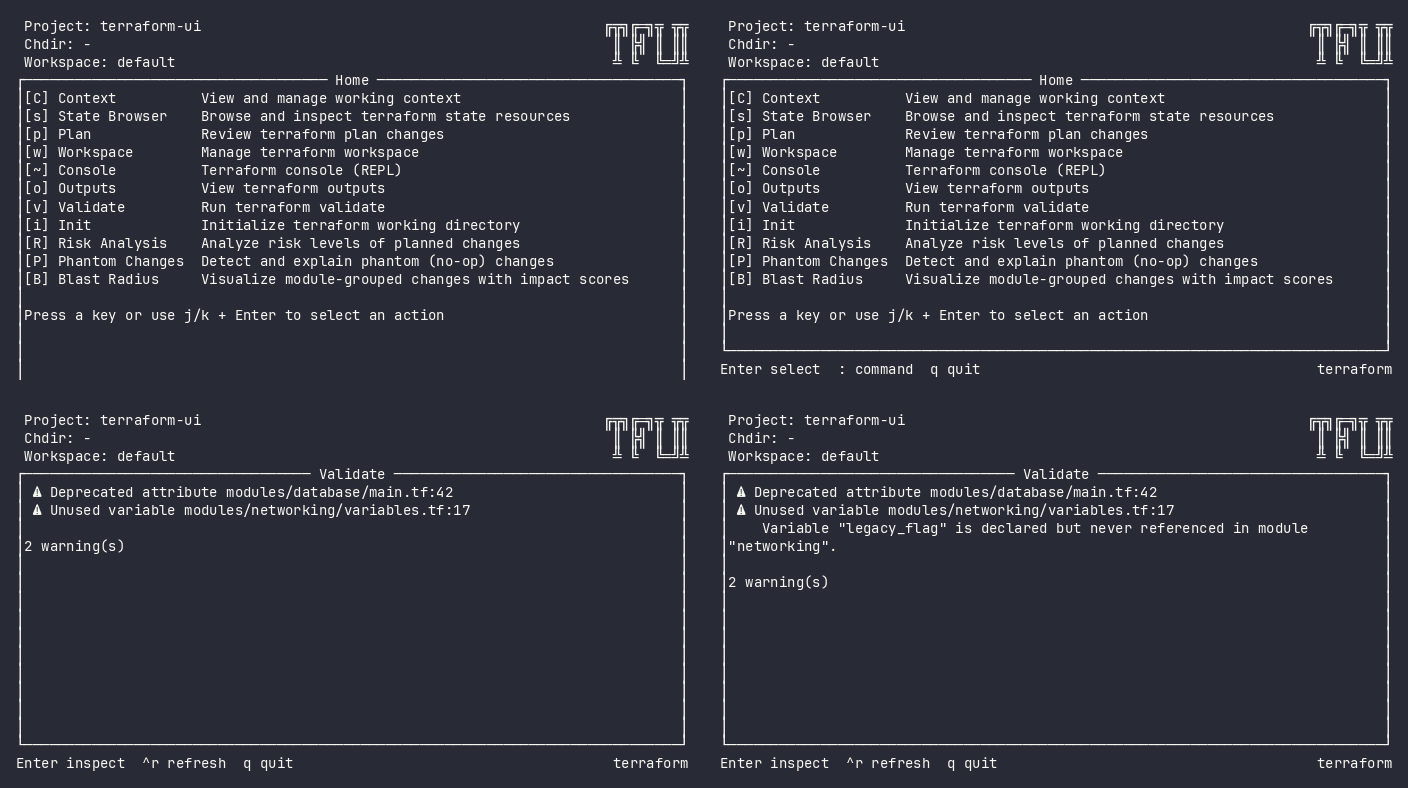
Interactive (TUI)
Press v from the home menu. The plugin runs validation and shows errors/warnings in an expandable list.
Keybindings
| Key | Action | Context |
|---|---|---|
Enter |
Expand diagnostic detail | List |
e |
Open file at error location in $EDITOR | List |
ctrl+r |
Re-run validation | Always |
q |
Back to home | Always |
Flow
Home ──v──→ Validate (loading) ──→ Validate (results)
                                      │
                                      ├── Enter → Expand diagnostic detail
                                      ├── e → Open $EDITOR at source location
                                      ├── ctrl+r → Re-run validation
                                      └── q → Home
Command Line (CLI)
tfui validate -project ./infra
tfui validate -project ./infra -ci
tfui validate -project ./infra -json
Exit Codes
| Code | Meaning |
|---|---|
| 0 | Configuration valid |
| 1 | Validation errors found |
Equivalence
| Goal | CLI | TUI |
|---|---|---|
| Validate configuration | tfui validate -ci |
Press v |
| Get diagnostics as JSON | tfui validate -json |
N/A (TUI is visual) |
| Re-validate after fix | tfui validate -ci |
v → ctrl+r |
Configuration
# tfui.hcl
plugin "validate" {
  enabled = true
}