State Browser
Overview
Terraform’s state commands are one-at-a-time, confirmationless, and require exact address typing:
terraform state list                     # flat list, no hierarchy
terraform state show aws_instance.web    # one resource at a time
terraform state rm aws_instance.web      # no confirmation! irreversible!
Exploring state requires chaining state list | grep | state show repeatedly. Mutating state is dangerous with zero safety rails — one typo in state rm and the resource is gone.
The State Browser adds:
- Browse without committing — see all resources, inspect any, without running N commands
- Filter/search — fzf fuzzy matching across 200 resources instantly
- Tree mode — module hierarchy view (terraform has no grouped view)
- Safe mutations — confirmation before rm/mv (terraform provides none!)
- Batch operations — pin multiple, then act on all at once
Screenshot
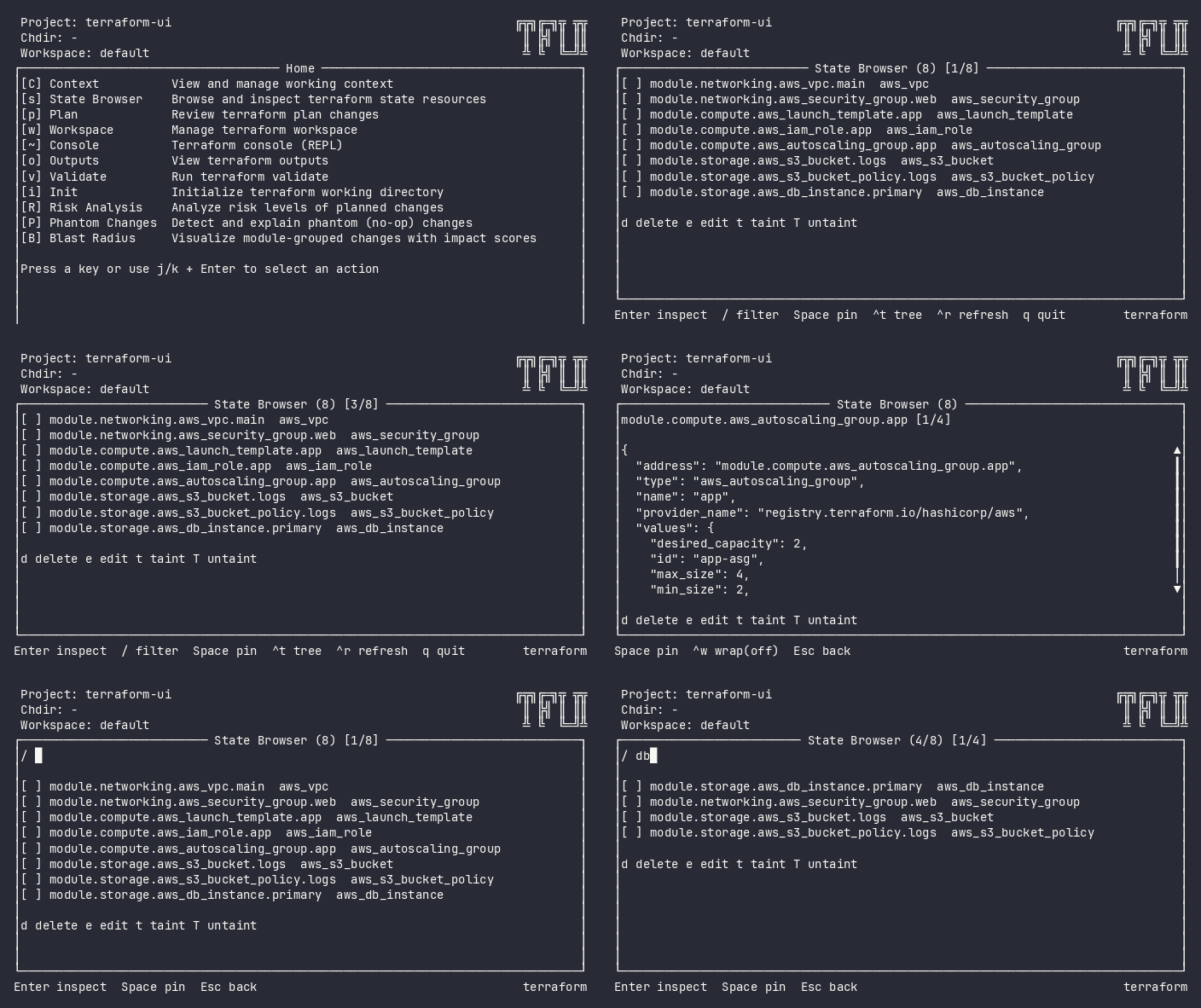
Interactive (TUI)
Press s from the home menu. The plugin loads the current terraform state.
Keybindings
| Key | Action | Context |
|---|---|---|
j / k / ↑ / ↓ |
Navigate up/down | List |
g / G |
Jump to first/last | List |
Enter / i |
Inspect resource detail | List |
/ |
Enter filter mode | List |
Space |
Pin/unpin resource | List |
Ctrl+t |
Toggle tree/flat mode | List |
Ctrl+p |
Toggle pinned-only view | List |
Ctrl+u |
Clear all pins | List |
[ / ] |
Collapse/expand all (tree) | Tree mode |
← / → |
Horizontal pan | List & detail |
Ctrl+w |
Toggle line wrap | Detail |
d |
Delete from state | List (cursor item) |
m |
Move (rename address) | List (cursor item) |
t |
Taint → navigates to taint plugin | List (cursor item) |
T |
Untaint → navigates to untaint plugin | List (cursor item) |
n |
Import → navigates to import plugin | List (cursor item) |
e |
Edit in $EDITOR | List (cursor item) |
! |
Batch action palette | List (when pins > 0) |
r |
Refresh state | List |
u |
Force-unlock | Error (locked) |
Esc / q |
Back / exit detail | Any |
Flow
Home ──s──→ State (list)
               │
               ├── Enter → Detail (inspect) ──Esc──→ back to list
               ├── / → Filter (type to search) ──Esc──→ back to list
               ├── d → Confirm delete ──y──→ deleted, refresh
               ├── m → Enter new address ──Enter──→ moved, refresh
               ├── t → Confirm taint ──y──→ tainted, refresh
               ├── Space → toggle pin
               ├── ! → Batch palette (d/t/T/e) → act on all pinned
               └── q → Home
Command Line (CLI)
State Mutations
# Remove resource from state (does NOT destroy infrastructure)
tfui state rm aws_instance.old -project ./infra

# Move/rename resource address in state
tfui state mv aws_instance.web aws_instance.main -project ./infra

# Mark resource for recreation on next apply
tfui state taint aws_instance.web -project ./infra

# Remove taint mark
tfui state untaint aws_instance.web -project ./infra

# Import existing resource into state
tfui state import aws_instance.web i-1234567890abcdef0 -project ./infra
Read-Only Mode
# Load state from file (TUI in read-only mode)
tfui -state ./terraform.tfstate

# Pipe from terraform
terraform state pull | tfui -state -
Equivalence
| Goal | CLI | TUI |
|---|---|---|
| List resources | terraform state list |
Press s |
| Inspect resource | terraform state show ADDR |
s → navigate → Enter |
| Remove from state | tfui state rm ADDR |
s → navigate → d → y |
| Rename in state | tfui state mv A B |
s → navigate → m → type B → enter |
| Taint resource | tfui state taint ADDR |
s → navigate → t → y |
| Untaint resource | tfui state untaint ADDR |
s → navigate → T → y |
| Import resource | tfui state import ADDR ID |
s → navigate → n → type ID → enter |
| Batch delete | Loop: tfui state rm X per resource |
s → pin multiple → ! → d → y |
Configuration
# tfui.hcl
plugin "state" {
  enabled = true
}
| Option | Type | Default | Description |
|---|---|---|---|
enabled |
bool | true |
Enable/disable the plugin |