tfui — Interactive Terminal UI for Terraform
Stop reading terraform output in raw text.
k9s for Terraform. Navigate it with ease.
The problem with terraform plan output
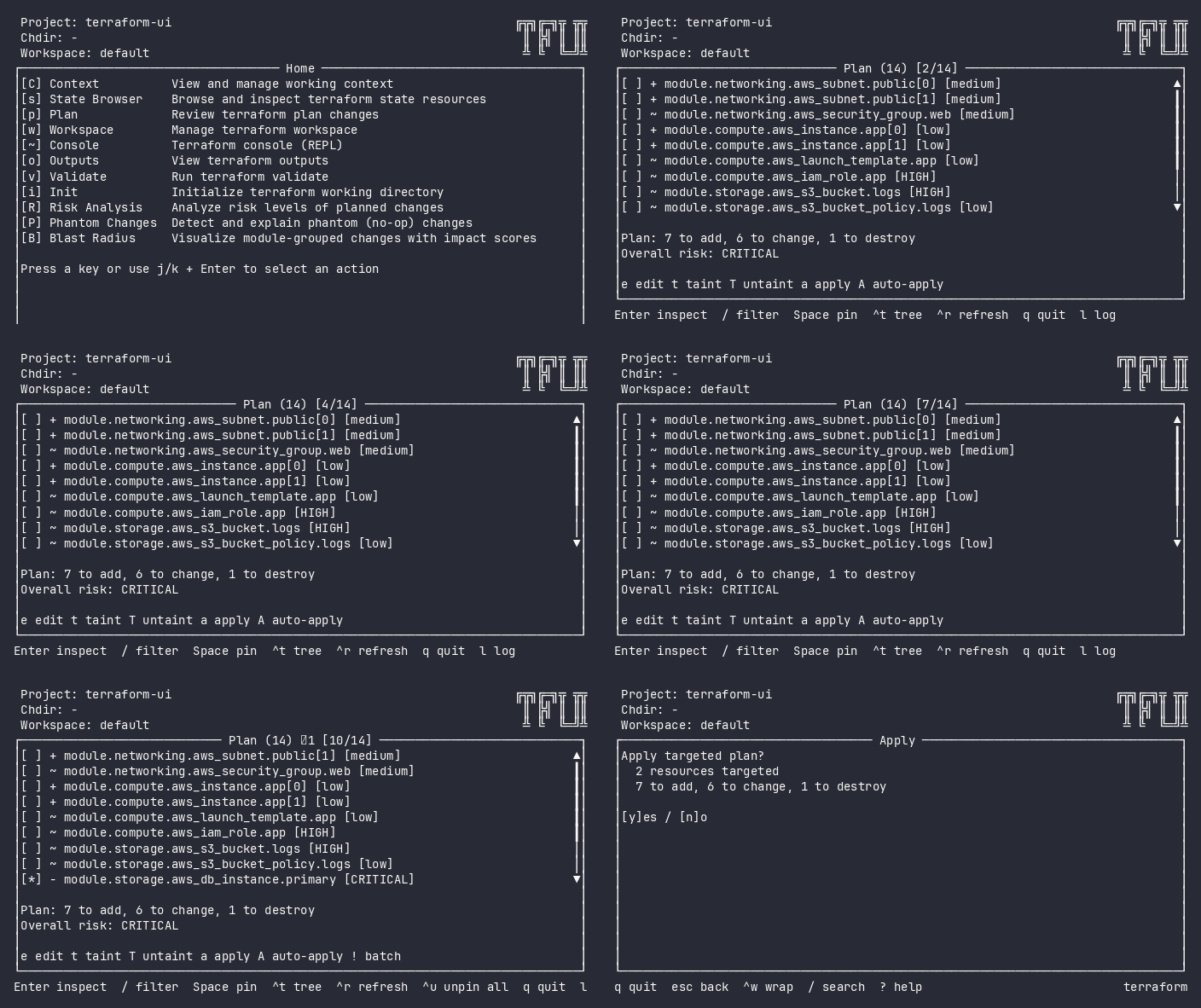
200 lines of terraform plan output. Somewhere in there, a database is about to be destroyed. You’re scanning for the word “destroy” like it’s 2005 and you’re grepping production logs by hand.
You find it — on line 847, between two tag updates.
terraform-ui sees what you’d miss.
Terraform Plan Viewer
Navigate changes as a tree. Expand attribute diffs inline. Risk badges surface the critical delete hiding between tag updates.
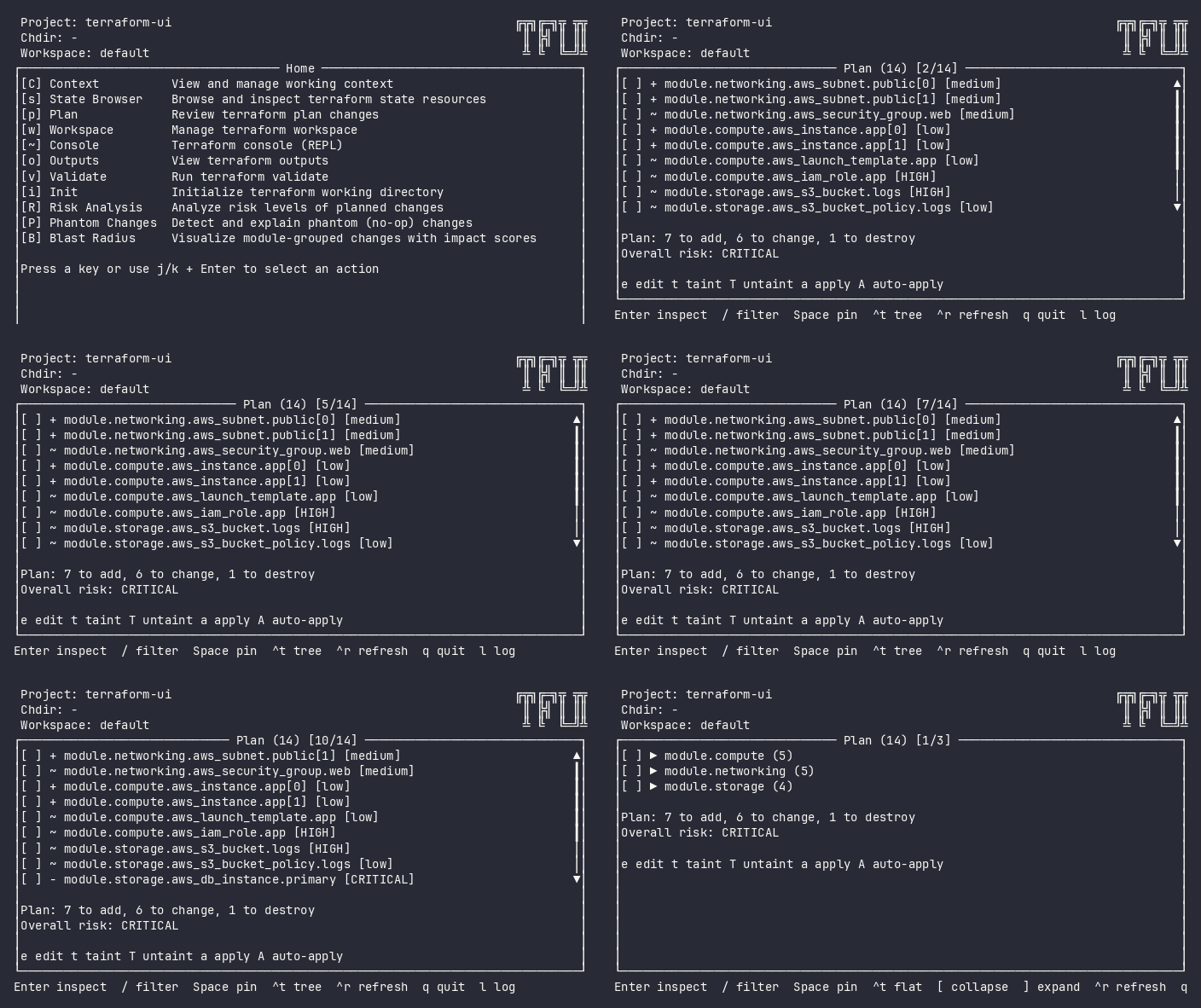
Every change is classified immediately: [CRITICAL] [HIGH] [medium] [low]. No scanning. No guessing. The dangerous change jumps at you — not the other way around.
Pin Resources, Apply Targeted
Pin the resources you care about. Apply only those — no -target flags to type, no copy-paste mistakes.
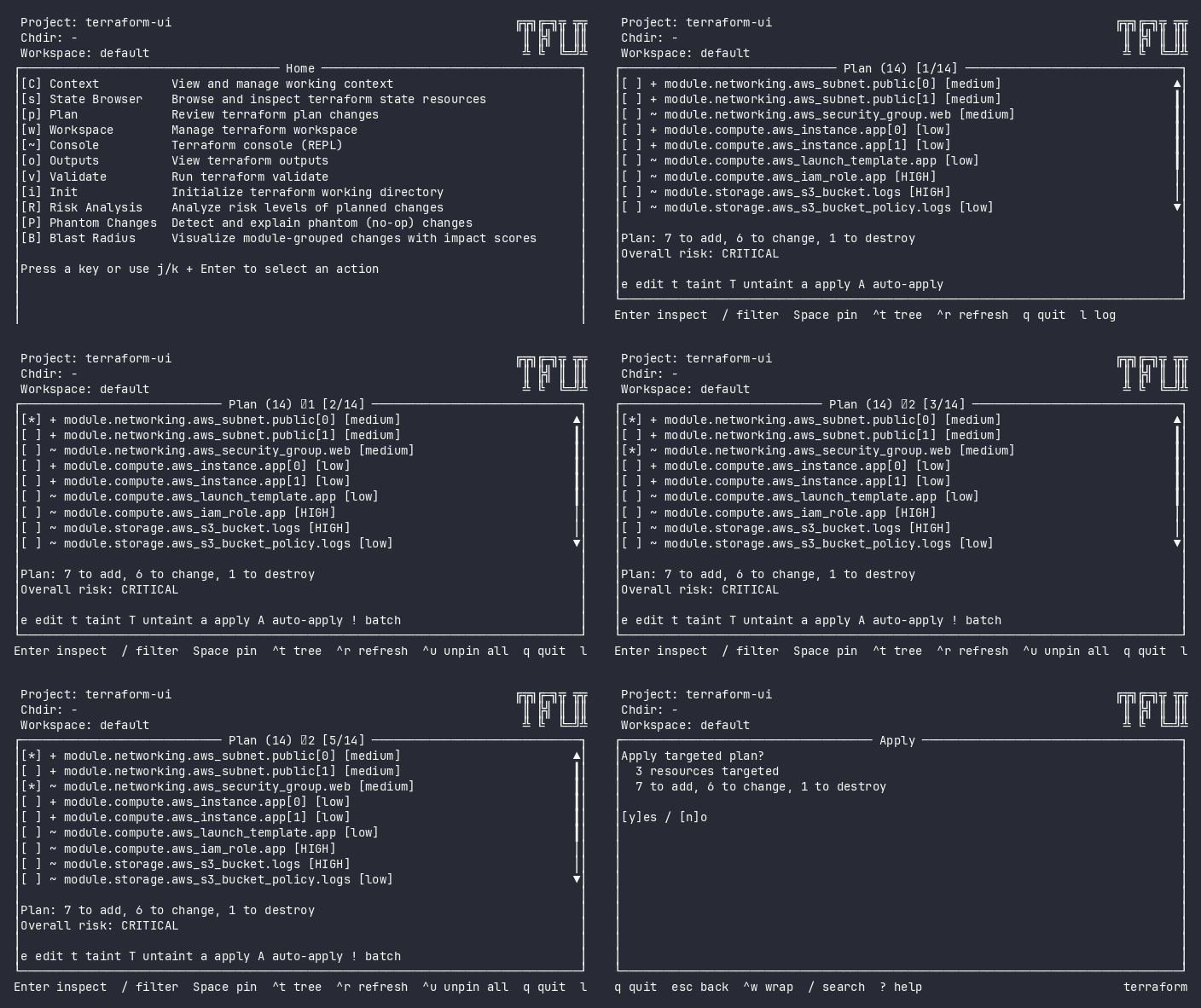
One key (space) to pin. One key (a) to apply. The tool handles the rest: replans with your targets, shows you exactly what will happen, asks for confirmation.
Terraform Risk Analysis
Every change classified: critical, high, medium, low. The RDS destroy doesn’t hide between tag updates anymore.
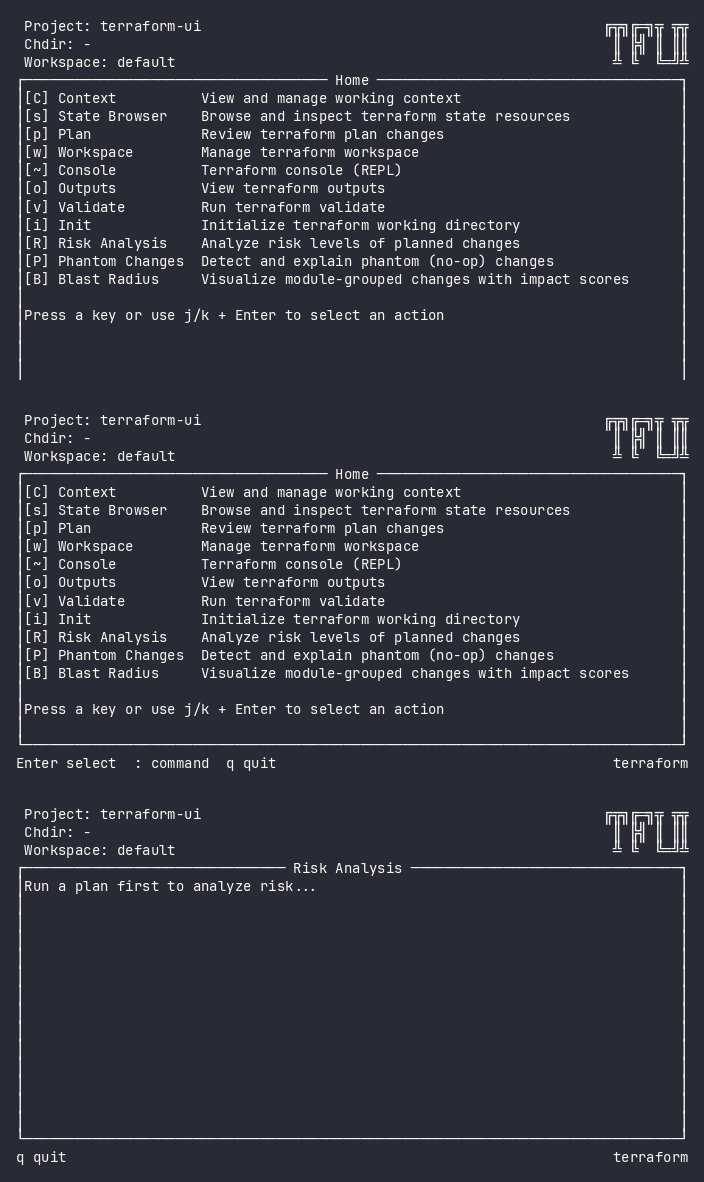
Resource-specific rules: deleting a database is critical. Updating a security group CIDR from 10.0.0.0/8 to 0.0.0.0/0? That’s high. A tag change? Low. You see the breakdown before you do anything irreversible.
Terraform State Browser
Browse, search, inspect. Delete and move with confirmation — not with typos.
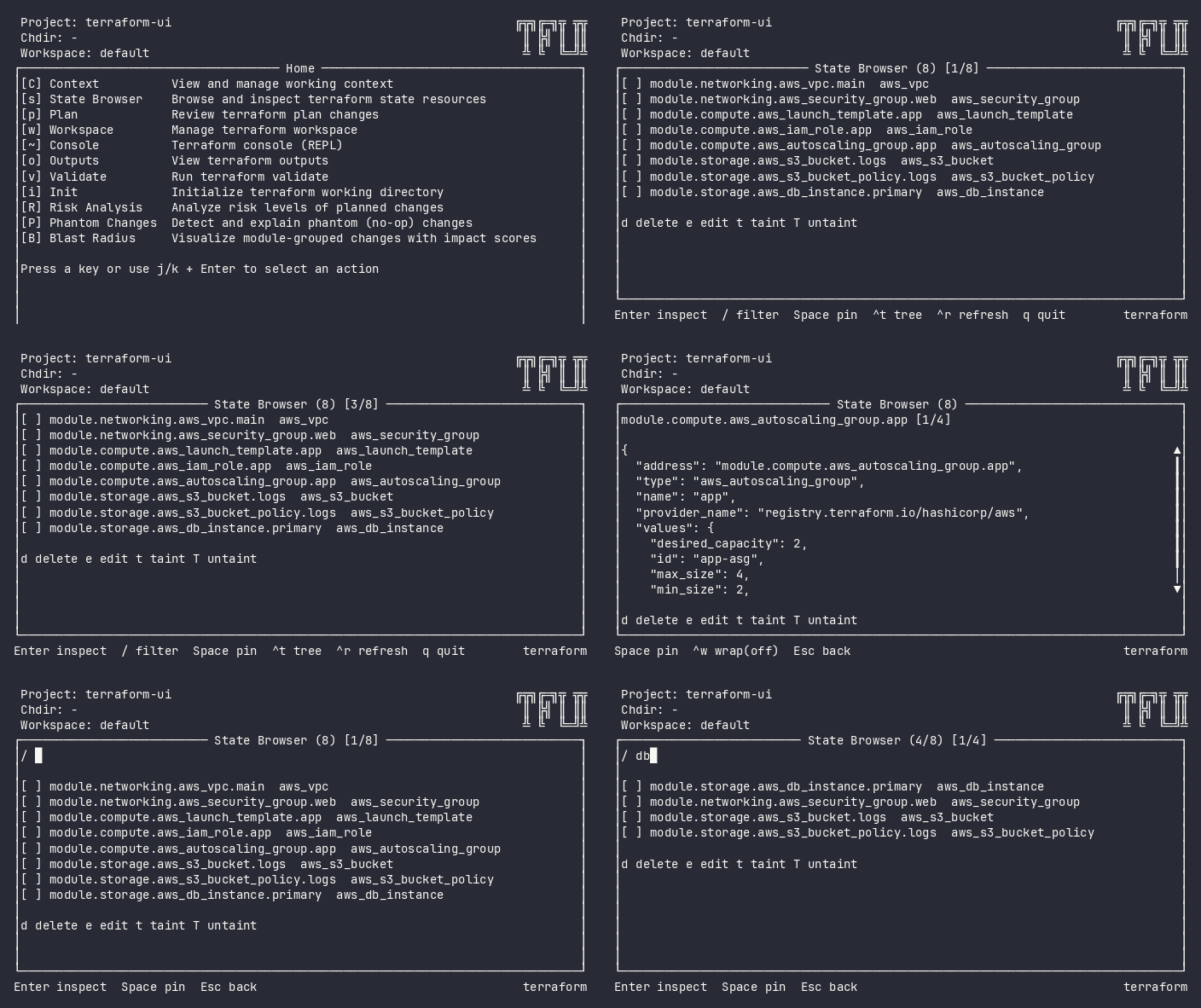
Fuzzy search across hundreds of resources. Inspect full attribute JSON. Taint, untaint, import, move — with safety prompts instead of naked CLI commands.
Phantom Change Detection
Terraform says “1 to change” but nothing actually changes. tfui detects cosmetic diffs — null vs absent, array reorder, provider normalization — and marks them.
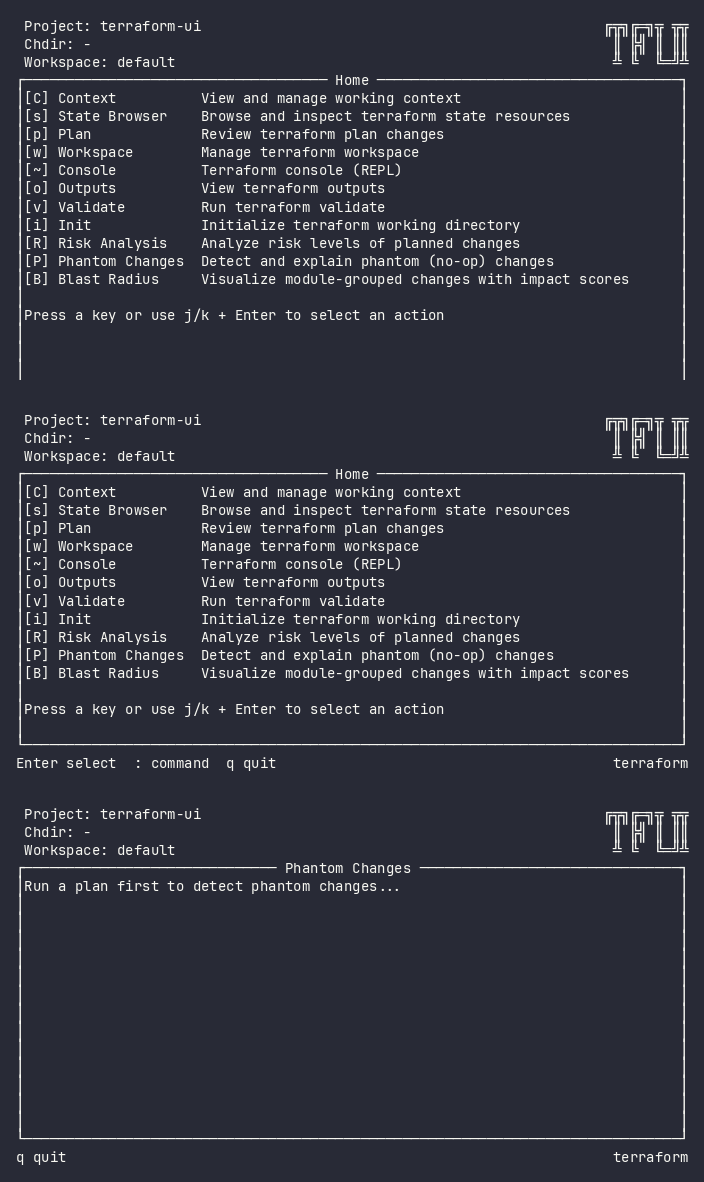
Stop chasing ghost diffs. Stop second-guessing whether that “update in-place” is real. Phantom detection tells you which changes are noise.
Terraform for AI Coding Agents
Claude Code runs tfui plan and gets 53 lines instead of 763 — every change address, the summary, and a risk verdict, in 38× fewer bytes than raw terraform plan output.
+ local_file.f00
+ local_file.f01
...
Plan: 50 to add, 0 to change, 0 to destroy.
Risk: low
Zero configuration: agent environments are detected automatically (CLAUDECODE, AI_AGENT, CI), the TUI never launches, and a failed run never claims success — terraform’s error lands on stderr with exit 1. Exit code 2 means changes are present, so agents can branch without reading a byte.
Try it now
brew install lmarqs/tap/tfui

# Try on your own plan — no config needed
terraform show -json tfplan.out | tfui -plan -

# Or use a demo fixture
curl -sL https://raw.githubusercontent.com/lmarqs/terraform-ui/main/demo/fixtures/plan-large.json -o /tmp/plan.json
tfui -plan /tmp/plan.json
No config. No account. No cloud service. Just your terminal.
Works with any existing terraform show -json output. Pipe it in, navigate immediately.
Or try without installing
docker run -it lmarqs/terraform-ui:demo
Built for infrastructure engineers
- Single binary. Zero runtime dependencies. Download and run.
- Keyboard-driven. No mouse required. Vim-style navigation.
- Works with Terraform, OpenTofu, and Terragrunt. One tool, all backends.
- Agent-ready. Claude Code and CI get headless, truthful output automatically.
- Your data never leaves your machine. Local-only. No telemetry. No cloud.
- Plugin architecture. Every feature is a plugin. Extend or disable as needed.
Terraform UI vs raw CLI
| Without tfui | With tfui |
|---|---|
| 200 lines of unstructured plan output | Navigable tree with expand/collapse |
| Manual scanning for destructive changes | Inline risk badges: [CRITICAL] to [low] |
terraform apply -target=... with typos |
Pin with space, apply with a |
terraform state rm with no confirmation |
Interactive state browser with safety prompts |
| Phantom diffs you chase for 20 minutes | Automatic detection and marking |
| Switching between 5 terminal windows | One TUI, one keyboard, every operation |
| Plan output flooding your AI agent’s context | One line per change + risk, 38× fewer bytes |
Install
# Homebrew
brew install lmarqs/tap/tfui

# Go install
go install github.com/lmarqs/terraform-ui/cmd/tfui@latest

# mise
mise use github:lmarqs/terraform-ui

# Binary download
curl -sL https://github.com/lmarqs/terraform-ui/releases/latest/download/tfui_linux_amd64.tar.gz | tar xz
sudo mv tfui /usr/local/bin/