Plan Review
Overview
Running terraform plan on a module with 30+ resources produces a wall of text. You must read every line to find the one dangerous delete among 29 creates. There’s no prioritization, no risk signal, no way to focus on what matters.
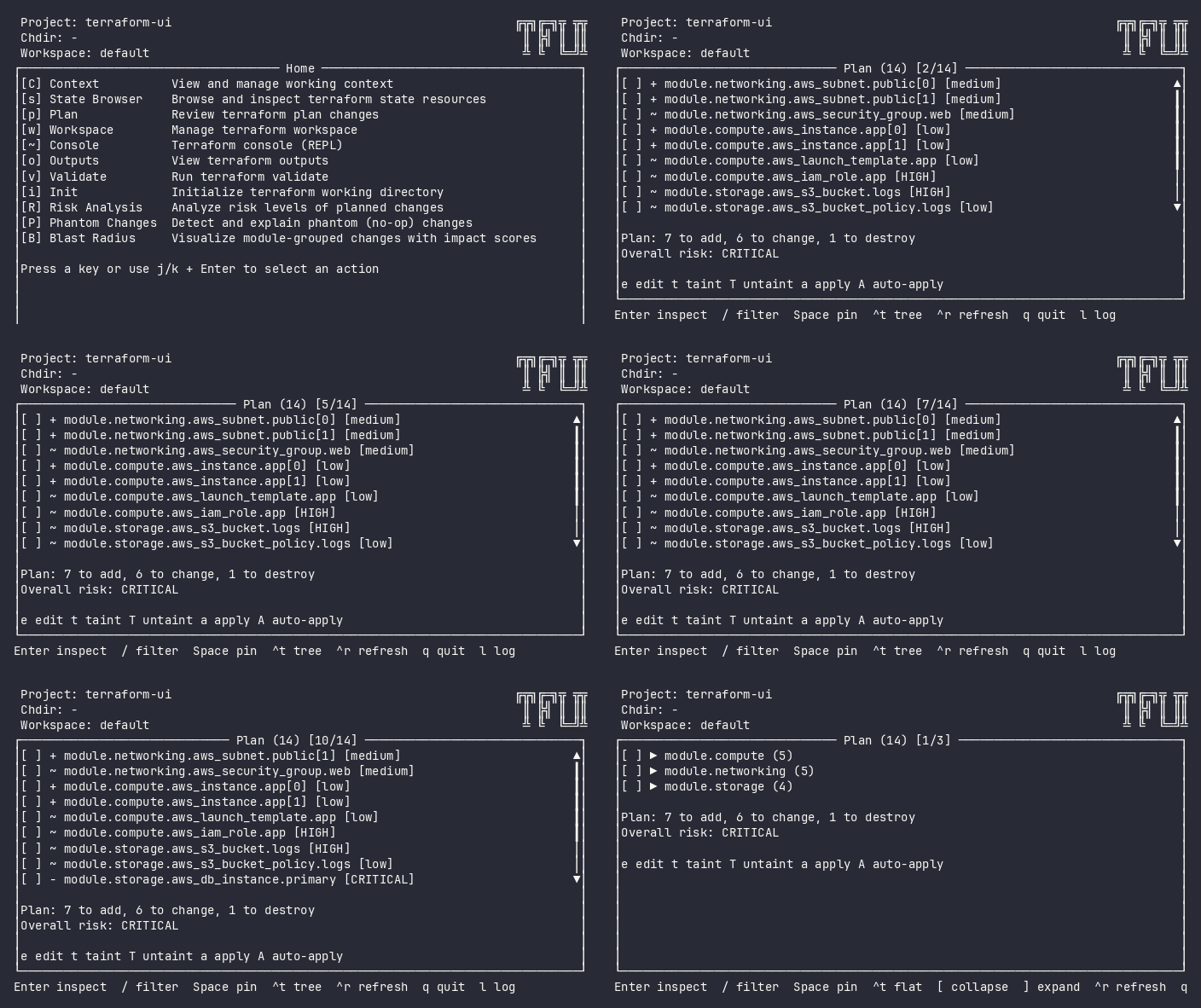
The Plan screen transforms plan output from a data dump into a decision-support tool:
- Risk badges surface dangerous changes immediately (no scanning required)
- Expand/collapse lets you focus on relevant diffs (attention management)
- Phantom detection separates real changes from computed-attribute noise
- Pin resources to build a selective apply target list visually
Screenshot
Interactive (TUI)
Press p from the home menu. The plugin immediately runs terraform plan against the current context.
Keybindings
| Key | Action | Context |
|---|---|---|
j / k / ↑ / ↓ |
Navigate up/down | List |
g / G |
Jump to first/last change | List |
Enter / i |
Expand/collapse attribute diffs | List |
/ |
Filter (fuzzy search) | List |
Space |
Pin/unpin selected resource | List |
a |
Apply (replans if targets pinned, then confirms) | List |
A |
Auto-approve (apply immediately, no confirmation) | List |
t |
Taint – navigates to taint plugin | List |
T |
Untaint – navigates to untaint plugin | List |
! |
Batch action palette (apply, taint, untaint) | List (when pins > 0) |
ctrl+t |
Toggle tree/flat view | List |
ctrl+r |
Re-run plan (refresh) | Always |
u |
Force-unlock | Locked error |
Esc / q |
Back to home | Always |
Flow
Home ──p──→ Plan (loading) ──→ Plan (results)
                                  │
                                  ├── Enter → expand diffs
                                  ├── Space → pin for apply
                                  ├── a → Apply (pinned targets or all)
                                  └── q → Home
Command Line (CLI)
# Default: spinner with elapsed time
tfui plan -project ./infra

# Silent: tree-view text output (no animation)
tfui plan -project ./infra -ci

# NDJSON events (terraform-compatible)
tfui plan -project ./infra -json

# Targeted: plan only specific resources
tfui plan -project ./infra -target aws_instance.web -target aws_s3_bucket.old

# With chdir (monorepo)
tfui plan -project ./infra -chdir modules/networking
Output Examples
Silent mode:
  + aws_instance.web
  ~ aws_security_group.main
  - aws_s3_bucket.old
  -/+ aws_db_instance.primary

Plan: 1 to add, 1 to change, 1 to destroy, 1 to replace.
Risk: CRITICAL
Agent mode (JSON):
{
  "changes": [
    {"address": "aws_instance.web", "action": "create", "risk": "low", "phantom": false},
    {"address": "aws_security_group.main", "action": "update", "risk": "medium", "phantom": false},
    {"address": "aws_s3_bucket.old", "action": "delete", "risk": "critical", "phantom": false}
  ],
  "summary": {"add": 1, "change": 1, "destroy": 1},
  "risk": "critical",
  "phantom_changes": 0,
  "phantom_resources": []
}
Exit Codes
| Code | Meaning |
|---|---|
| 0 | Plan succeeded, no changes |
| 1 | Error (terraform failed, invalid config) |
| 2 | Plan succeeded, changes detected |
Equivalence
| Goal | CLI | TUI |
|---|---|---|
| See what will change | tfui plan -ci |
Press p |
| Get plan as JSON | tfui show -json tfplan.out |
N/A (TUI is visual) |
| Plan specific resources | tfui plan -target X |
Press p, pin resources |
| Plan then apply | tfui plan && tfui apply |
p → review → a → y |
Configuration
# tfui.hcl
plugin "plan" {
  enabled = true
  targets = ["module.networking", "aws_instance.web"]
}
| Option | Type | Default | Description |
|---|---|---|---|
enabled |
bool | true |
Enable/disable the plugin |
targets |
list | [] |
Default resource targets for plan |
targets is a project default, used only when the run carries no explicit
selection. An explicit -target flag or a TUI pin replaces it — a default
that could not be narrowed would be the wrong shape for targeting. Declare the
same list under plugin "apply" to keep a scoped apply in step with the scoped
plan.
Related
- Apply – execute the planned changes
- Risk Analysis – risk breakdown by severity
- Blast Radius – module-grouped impact view