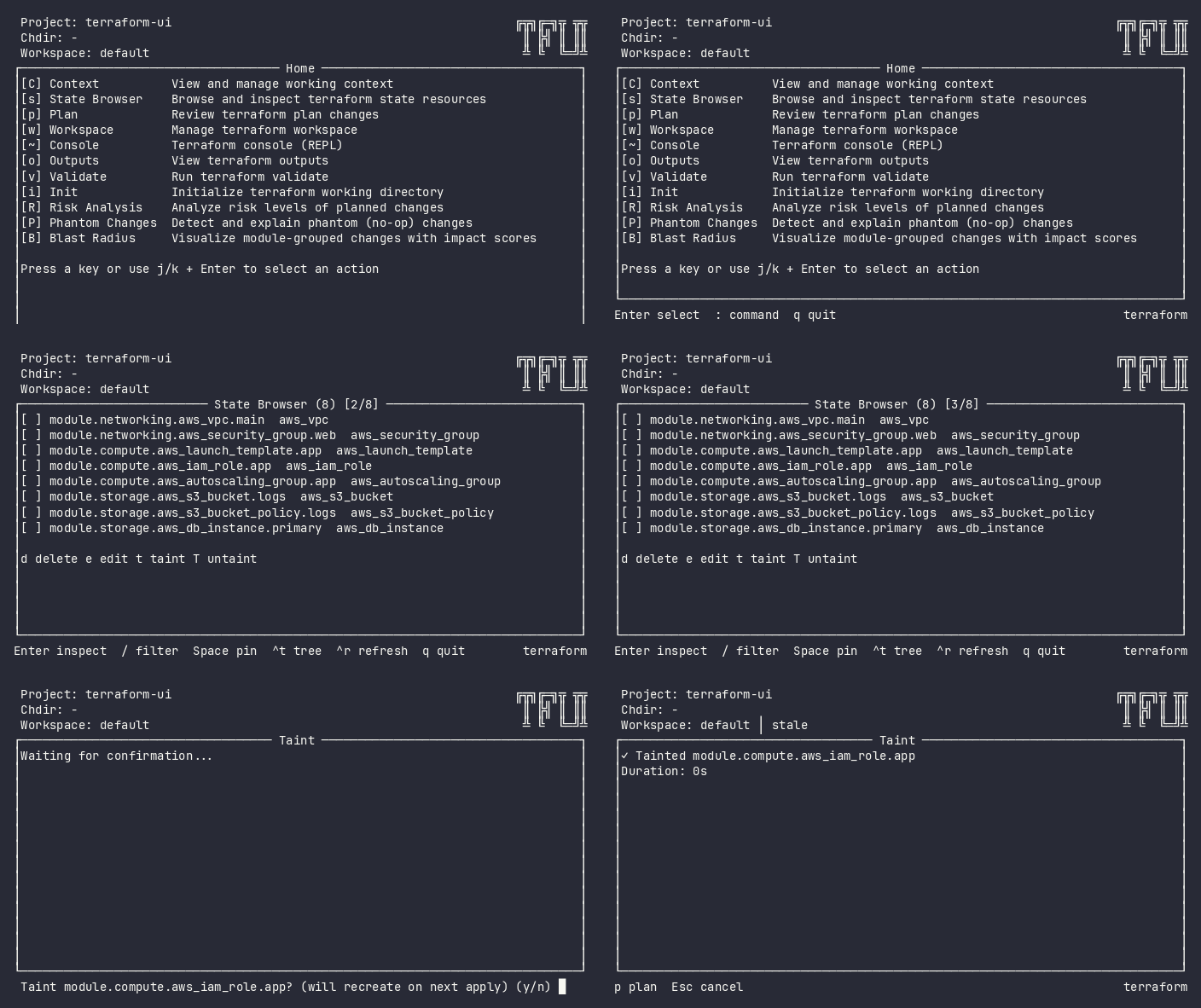
Mark resources for recreation on next apply. Standalone verb plugin – mirrors terraform taint as a top-level command. NavPush behavior: returns to the origin plugin on completion or cancel.
Screenshot
Interactive (TUI)
Entry Points
Context
Key
Behavior
State list/detail
t
Navigate to taint with cursor address
Plan list
t
Navigate to taint with cursor address
Batch palette (!)
t
Navigate to taint with all pinned addresses
Command mode
:taint
Navigate to taint
Keybindings
Key
Action
Context
y / Y / Enter
Confirm taint
Confirming
n / N / Esc
Cancel and return
Confirming
p
Navigate to plan
Done
Esc
Back to previous plugin
Any
ctrl+r
Retry
Error
Flow
Idle → Confirming → Loading → Done/Error
Plugin receives target address(es) via SetTargets()
Shows confirmation: “Taint <address>? (will recreate on next apply)”
For batch: shows count and lists all addresses
On confirmation, executes terraform taint for each address sequentially
On success, emits PlanInvalidatedEvent (plan auto-replans)